AImoji Keyboard - AI Stickers
Alef NetworkPersonalization
4.626.00 Reviews
- Version
- 1.2.2
- Installs
- 10.00K
- Age Rating
- Everyone
Screenshots
Our Review of AImoji Keyboard - AI Stickers
 Analysis by Appyee
I like keyboard apps that solve a small, everyday problem without asking me to rebuild the way I communicate. AImoji Keyboard - AI Stickers takes a more playful route: it focuses on creating personalized stickers and keyboard themes with AI, then putting that creative layer close to where I already type. That makes it less about replacing a normal keyboard and more about turning quick messages into something that feels more like me.
After spending time with it, my main impression is that the custom-sticker idea is the reason to try it. The app belongs to the personalization category, comes from Alef Network, and is free to install. It is aimed at Everyone, so the concept is easy to understand even if you are not especially interested in advanced customization. The important question is whether you will actually use original stickers often enough to justify adding another keyboard to your routine.
How AI-created stickers change ordinary messages
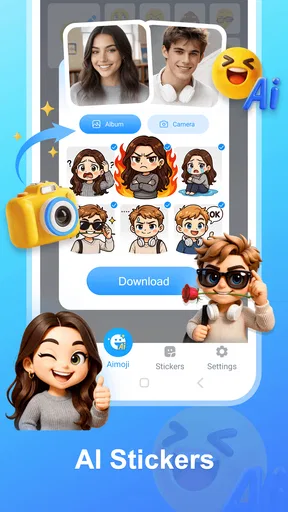
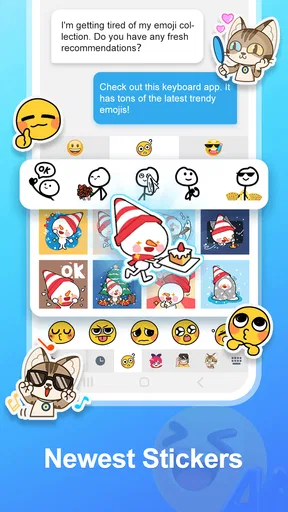
The strongest capability here is the ability to make your own stickers instead of relying only on the familiar emoji and sticker sets that appear in every messaging app. That difference matters because a custom image can express a very specific mood, joke, reaction, or inside reference. A standard laughing face communicates amusement; a sticker shaped around your own idea can communicate why something is funny.
I see the app working best when a conversation has its own language. Friends who share recurring jokes, family members who enjoy playful reactions, or small groups planning events can get more value from a personal sticker style than someone who sends only short, practical replies. The AI element lowers the creative barrier. You do not need to draw or edit an image from scratch before you can experiment with a visual response.
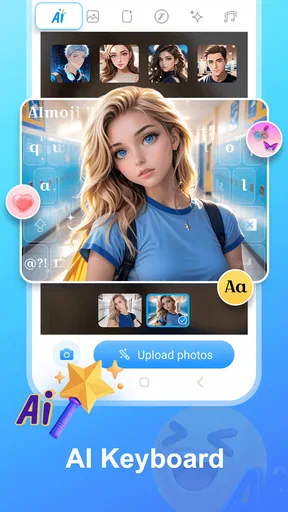
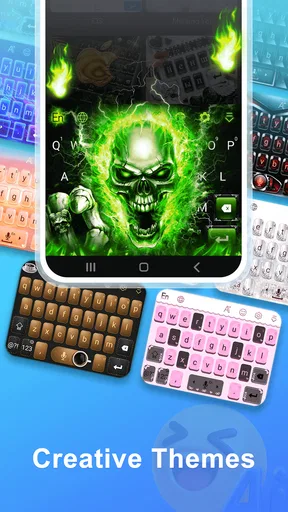
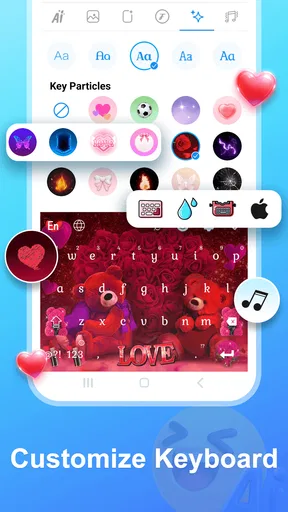
The second part of the experience is the keyboard theme. This is useful because the keyboard is one of the most frequently seen parts of a phone. A theme can make typing feel more personal, but I would treat it as a supporting feature rather than the main reason to install the app. Many personalization apps can change a visual surface; the more distinctive part of this one is connecting that personalization with stickers you can actually send.
The real benefit is not “AI” by itself; it is the shorter distance between an idea and a usable reaction. When I think of a funny image, I want to turn it into something shareable without opening a separate editor, saving a file, and then hunting through my gallery. That workflow is where this app has the clearest appeal.
Where the app fits among familiar alternatives
The usual alternatives are standard emoji, sticker packs built into messaging services, image editors, and ordinary keyboard themes. Emoji are faster and more predictable, which makes them better for quick conversations where personality is not the priority. Built-in sticker libraries offer more polish and consistency, but they can feel repetitive after a while. Image editors provide more control, although they also add steps that most people will not want to follow for a single reply.
AImoji Keyboard sits between those choices. It is more personal than a fixed sticker pack and less demanding than creating finished artwork manually. The trade-off is that AI-generated creativity is not the same as precise design control. If you need a sticker with exact lettering, a carefully positioned subject, or a consistent character across many images, a dedicated design tool will probably suit you better.
What using it feels like in practice
The practical test for any custom keyboard is whether it stays convenient after the first few minutes of novelty. I would begin by choosing a theme that is easy to read rather than simply attractive. A busy background may look fun in a preview but can make keys harder to distinguish when I am typing quickly. For daily use, contrast and visual calm matter more than decoration.
Once the keyboard is part of my normal typing routine, the sticker feature becomes more useful when I think in short prompts or clear visual ideas. Instead of trying to describe an elaborate scene, I would start with a simple reaction: an exaggerated celebration, a tired expression, a small victory, or a playful response to a friend. Specific but uncomplicated ideas are easier to reuse in conversation than overly ambitious concepts.
One practical tip is to create stickers around situations that happen repeatedly. A sticker for “I am running late,” “coffee first,” or “that meeting could have been an email” has a better chance of becoming part of your everyday communication than a random image you use once. This is a more efficient way to explore the app because it turns experimentation into a small personal library instead of a collection of disconnected results.
Another useful approach is to think about the recipient before creating anything. A sticker that works in a private chat may be unsuitable in a work conversation, and a design that makes sense to one friend may look confusing to someone else. The app gives you a creative tool, but judgment still matters. I would keep the most expressive creations for people who understand the context and use ordinary emoji when clarity is more important than originality.
The keyboard format also changes the rhythm of messaging. A separate sticker application usually asks me to leave the conversation, make or select something, and return. Keeping the creative action near the typing area can reduce that interruption. That sounds like a small improvement, but it is exactly the kind of friction that determines whether a feature becomes a habit or gets forgotten.
A realistic everyday example
Imagine I am coordinating dinner with friends. One person says they will arrive late, another sends a photo of an empty table, and someone else asks whether dessert is still happening. With ordinary emoji, I can react quickly, but the responses are generic. With a personalized keyboard, I could use a lighthearted “waiting” sticker, a celebratory dessert reaction, or a visual joke that matches the group’s mood.
The value is not that every message needs a custom image. In fact, using one constantly would make the conversation noisy. The value is having a fitting response ready for moments when a plain thumbs-up feels too flat. I would use the feature selectively, much like a favorite reaction or a well-timed GIF.
For families, the same workflow can be more personal. A child might enjoy a colorful theme and playful reactions, while a parent may prefer stickers that mark small daily events. Because the app is rated Everyone, it is positioned for broad use, but I would still encourage adults to guide younger users toward respectful, appropriate creations and sensible keyboard habits.
The trade-offs I noticed before making it a daily keyboard
The first trade-off is convenience versus control. AI can help produce an idea quickly, but quick creation does not guarantee that every result will match what I imagined. If the first attempt feels off, I may need to adjust the concept and try again. That is enjoyable when I am in an experimental mood, but less appealing when I need a precise image immediately.
The second trade-off is novelty versus consistency. A personalized theme can make the phone feel fresh, yet I may eventually prefer a simpler appearance that does not compete with text. The same applies to stickers: unusual reactions are fun at first, but a small set of dependable favorites is more useful than endlessly generating new ones. I would approach the app as a tool for building a focused collection, not as a reason to customize every message.
There is also a learning curve that does not come from complicated menus alone. The real learning is discovering what kind of prompts produce stickers I would actually send. A vague idea may be amusing during creation but difficult to use in a real conversation. I found that practical, emotionally clear concepts are more valuable than visually crowded ones.
People who type quickly should pay attention to whether the chosen theme supports comfortable reading. Personalization should not make ordinary text entry harder. If the visual design distracts me, I would keep the sticker features and switch to a more restrained theme, assuming the app’s available choices make that possible. The keyboard has to serve communication first.
Cost is another consideration. The app is free, but it includes in-app purchases ranging from $1.49 to $39.99 per item. That wide range means I would explore the free experience carefully before paying for anything. A purchase could make sense for someone who uses custom themes and stickers constantly, but occasional users should be cautious about spending more than the feature is worth to them.
I also would not recommend replacing a familiar keyboard purely because the idea sounds interesting. If you depend on a particular keyboard’s advanced typing habits, language support, or established shortcuts, changing keyboards can be disruptive. A personalization app is worthwhile when its creative benefit outweighs that adjustment. For some users, the better arrangement may be keeping a trusted keyboard for serious typing and using this one when visual expression is the priority.
Questions I would ask before installing
Will it work for someone who is not artistic? Yes, that is one of its strongest reasons to exist. The AI-centered approach is meant to help turn an idea into a sticker without requiring drawing skills. I would still expect better results from clear concepts and a willingness to refine an idea rather than accepting the first attempt.
Is it useful if I rarely send stickers? Probably not as a main keyboard. If most of your messages are work notes, addresses, reminders, or short practical replies, the personalization may feel decorative rather than helpful. The app makes more sense for people who enjoy expressive chats and want their reactions to feel less interchangeable.
Can it replace every other sticker source? I would not treat it that way. Its appeal is originality and personal expression, while established sticker collections may be better when you want a polished, instantly recognizable reaction. Keeping both approaches available is sensible: use standard options for speed and custom creations for moments that deserve something more specific.
Is the free version enough to judge it? It should be the first step. Since the app is free to install and paid items are available inside it, I would spend time testing whether the keyboard feels comfortable and whether the sticker workflow fits my conversations before considering a purchase. The deciding factor is repeated use, not the excitement of the first session.
Does the version matter for compatibility? The current version is 1.2.2, and the minimum operating system is Android 6.0. That makes it accessible to a broad range of Android phones, although the experience can still vary with screen size, typing habits, and the messaging apps where the keyboard is used. I would check the keyboard in the conversations I use most rather than judging it only from a setup screen.
Who gets the most from this personalization app
I think the best audience is people who communicate visually but do not want to spend time designing graphics. If you already send memes, GIFs, emoji combinations, or reaction images, custom stickers can give your messages a more personal signature. The app is also a good fit for anyone who enjoys changing the look of a phone and wants the keyboard to feel connected to that style.
It can be especially useful for small communities. A group of friends can develop recurring visual jokes, while a family can create reactions that make sense within its own conversations. The key is not generating hundreds of stickers; it is creating a few that reflect real relationships and then remembering to use them at the right moments.
I would be more cautious if you need a professional, highly controlled design workflow. Designers, brand managers, and anyone preparing public-facing graphics will likely want exact typography, repeatable layouts, and finer editing tools. This app is about fast personal expression, not replacing a full creative suite.
It may also be a poor fit for someone who dislikes changing keyboards. The benefit depends on accepting the keyboard as part of your messaging routine. If switching away from your current setup causes more frustration than the stickers solve, the smarter choice is to stay with the familiar option and use separate sticker tools when needed.
Alem Network’s app has a clear identity, and its 4.6 average from 123 ratings suggests that early users have generally responded well. It has passed 10K+ installs, which gives it a modest but meaningful user base for a newer personalization tool. Those figures are useful context, but my recommendation still comes down to behavior: do you want to make your everyday reactions more personal, or do you mainly want the fastest possible keyboard?
My final view is positive, with a specific condition. I would recommend AImoji Keyboard - AI Stickers to a friend who enjoys expressive messaging and wants to create visual reactions without learning design software. I would not recommend it automatically to someone who values a minimal keyboard, relies heavily on an established typing workflow, or rarely sends stickers. The app’s best idea is focused and practical: bring AI-assisted creativity close to the conversation. Used selectively, that can make ordinary chats feel more personal without turning every message into a production.
Verdict
Strengths of AImoji Keyboard - AI Stickers
- Creates personalized AI stickers from simple text prompts.
- Offers expressive emoji alternatives for chats and social posts.
- Keyboard integration makes stickers quick to access while typing.
- Useful for adding humor and personality to everyday conversations.
- Simple interface is easy to understand for first-time users.
Limitations of AImoji Keyboard - AI Stickers
- AI-generated results may not always match the requested idea.
- Some sticker packs or features may require in-app purchases.
- The keyboard may need full access permissions to work properly.
- Generating stickers can take longer on slower devices or networks.
- Frequent use may increase battery and mobile data consumption.
Similar Picks in This Category
View All
Microsoft SwiftKey AI Keyboard
SwiftKey4.3

Wallpapers
Google LLC4.1

Zedge™ Wallpapers & Ringtones
Zedge4.7

Yandex Browser with Alice AI
Direct Cursus Computer Systems Trading LLC4.3

Ringtone Maker:create ringtone
Big Bang Inc.4.7

Fonts Keyboard
Fonts Keyboard3.9
Frequently Asked Questions
What is AImoji Keyboard - AI Stickers, and how does it work?
AImoji Keyboard - AI Stickers is a keyboard and sticker-creation app designed to help users make expressive AI-generated stickers, emojis, and images for use in chats and social networks. Depending on the available tools, you can enter a description, choose a visual style, and generate a personalized result. The app may also include a keyboard extension for accessing saved stickers directly while messaging.
Is AImoji Keyboard - AI Stickers free to download and use?
The app may be available to download at no initial cost, but some features can be restricted by limits, advertisements, credits, or a premium subscription. Before creating many stickers or activating the keyboard, check the store listing and the in-app pricing screen carefully. Pay attention to trial periods, renewal terms, and whether subscriptions are billed weekly, monthly, or annually.
Does AImoji Keyboard require access to my keyboard and personal information?
A third-party keyboard may request permission to provide full access so it can communicate with its sticker or AI-generation features. This permission can be sensitive because keyboards may technically process typed content, although the developer’s privacy policy should explain what is collected and why. If you are uncomfortable, use the app without enabling the full keyboard or avoid entering private information.
Can I use the stickers created with AImoji Keyboard in WhatsApp, Instagram, and other apps?
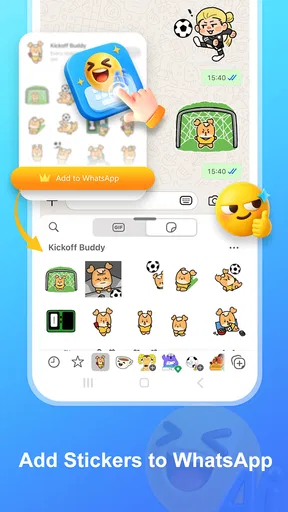
Generated stickers are generally intended for sharing in messaging and social applications, but compatibility can vary by platform and device. Some apps may allow direct insertion through the keyboard, while others may require saving the image first and attaching it manually. Results can also depend on the sticker format, operating-system permissions, and whether the destination app supports custom stickers or images.
Is AImoji Keyboard - AI Stickers suitable for children and safe for all prompts?
The app can be entertaining for creating avatars, reactions, memes, and themed artwork, but AI-generated content is not always predictable. Some prompts may produce inappropriate, misleading, or copyrighted-looking results, and moderation quality can vary. Parents should review the app’s age rating, privacy practices, advertising, and subscription settings, and younger users should avoid sharing personal details in prompts or through the keyboard.
